Regardless of how you receive TV and whether you watch live and on-demand, updates are a part of life.
In our news coverage, you’ll often hear of updates to channel lists, apps and software. Occasionally, a pop-up may appear on your device telling you about an impending update.
There are different types of updates, which have different consequences to you as the viewer.
In this article, you’ll find information on what is involved in a
Channel update
Software or firmware update
An app-related update
…and how to resolve any related issues.
Channel update
An update to the Electronic Programme Guide (EPG) or channel list on your TV. This can include the addition, deletion or moving of linear TV channels.
What you need to do
On most TV platforms, these updates are automatic and you won’t need to take any action.
- However on Freeview, you may need to rescan your TV when there is a channel update. If you don’t update, or don’t complete a full channel scan, you may find TV services on channel numbers that are different to those advertised in TV listings. Confusingly, depending on model, some updates will process automatically, while others won’t. If you are missing Freeview channels after an update, you should consult your TV instruction manual or check one of Freeview’s retune videos to check you’ve completed the update correctly.
- Freely devices should automatically update following channel changes. But we’ve had frequent feedback from early adaptors of Freely saying that’s not happened. So if you’re missing recent channel updates, you should rescan your device.
Software (or Firmware) Update
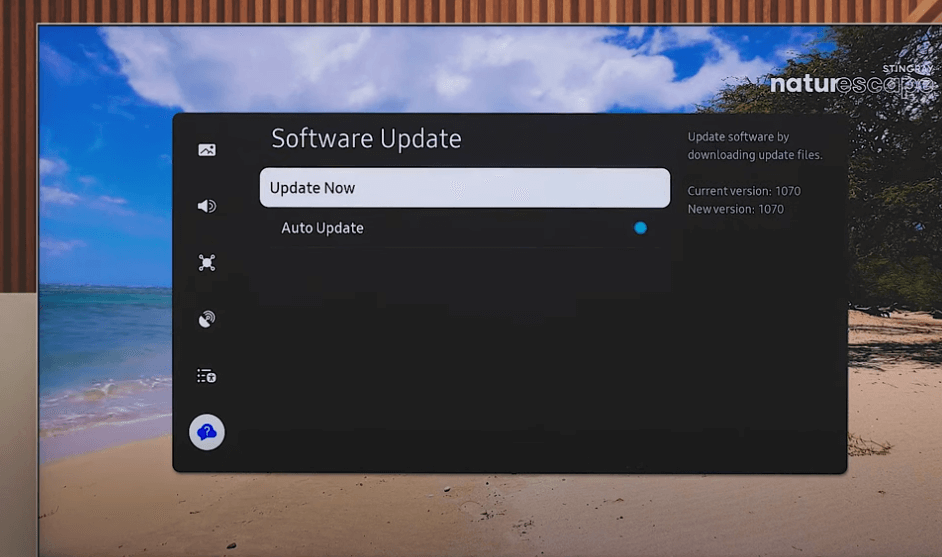
An update to the software that runs on your device. (Firmware is software embedded directly into hardware.) A software update may introduce new features or pave the way for new apps to be rolled out on your device in the future. An update may also resolve bugs affecting apps on your TV.
What you need to do
If a software update is available, your device may produce an on-screen message telling you what steps you need to take.
- Most devices will automatically check for updates. Earlier generations of TVs and set-top-boxes used to receive software/firmware updates over the air. Now, updates are uploaded from the internet. So you’ll need to ensure your device is connected to the internet to benefit from software updates.
- This type of update may pave the way for new services to become available on your device. However, some updates may be required to retain existing services.
- For example, a streaming service may implement new security measures, including those required by rights holders. An update may be required to introduce support for these new security measures.
- Devices that can’t be updated, or are no longer supported by the manufacturer or platform operator may lose functionality and not gain access to the latest features. In some cases, an app will be withdrawn from specific devices altogether.
App-related updates
There a two different types of app-related update that you may read about.
Most commonly, an app update introduces changes to an existing app on your device. This may include new features (such as voice control), a new look (user interface change) or accessibility enhancements. Occasionally, an app update may withdraw some functionality.
In some news reports, you may read of an update being pushed out to launch a new app to users of a particular TV or streaming platform. For example, Sky might strike a deal with a streaming service to introduce a new app to users of its streaming devices.
What you need to do
Most devices will automatically update apps in the background
- App updates are generally not linked to a software update. An app-related update will not result in a change to the software version on your device.
- Occasionally, a prior software or firmware update is required before new apps or functionality can be rolled out out to your device. This might be the case if your device needs to support a certain protocol or standard to run a new app.
What happens if I have a problem after an update?
Software/firmware and app updates can cause unexpected errors.
As with many digital devices, sometimes the solution is to turn it off and back on again.
If the problem persists, you may want to complain. Unfortunately platform owners, broadcasters and product (app) owners can be quick at pointing the finger at someone else, sending you in a loop between organisations.
If you subscribe to a TV platform like Sky or Virgin Media, you should raise issues with them directly.
Freely and Freeview will most likely direct you to your device’s manufacturer.
For channel updates, the services you receive may be limited based on TV coverage in your area or issues with your receiving equipment. Depending on how you receive services, this can include your aerial, your dish or any equipment used to distribute internet connectivity in your home.
By: Marc Thornham | Image: Samsung